
Download PEMDAS – Free Mac Math Formula Tool
Overview
PEMDAS is a lightweight, free software designed exclusively for macOS users who need a reliable companion for working with mathematical formulas. Belonging to the Science & Education category with a sub‑category focus on Mathematics, PEMDAS helps students, teachers, and professionals quickly evaluate expressions following the standard order of operations (Parentheses, Exponents, Multiplication, Division, Addition, Subtraction). The current version, 1.1, was last updated on June 13 2007, and despite its age, the program remains stable, fast, and completely free of charge.
With a modest footprint on your hard drive, PEMDAS consumes far less space than many modern educational apps, making it an ideal choice for older Mac models or machines with limited storage. Since its addition to the catalog in 2007, the tool has accumulated over 6,050 downloads, proving its enduring relevance in the academic community. The interface is presented in English, and the software runs on Mac OS X and earlier versions, ensuring broad compatibility across a range of Apple hardware.
Whether you’re solving algebraic equations, checking homework, or preparing lesson plans, PEMDAS provides a secure, offline environment that respects your privacy—no internet connection or user data collection is required. In the sections that follow, we’ll explore the key features, walk through the installation process, and weigh the pros and cons to help you decide if PEMDAS is the right addition to your Mac toolbox.
Key Features of PEMDAS
- Intuitive formula editor that respects the conventional order of operations.
- Real‑time calculation feedback as you type each expression.
- Support for parentheses, exponents, fractions, and basic trigonometric functions.
- Lightweight installer (under 5 MB) that leaves ample free space on your drive.
- Fully offline operation—no internet connection required.
- English‑only interface with clear, labeled menus.
- Compatibility with macOS 10.3 (Panther) through macOS 10.6 (Snow Leopard).
- Automatic error highlighting for syntactically incorrect formulas.
- Export results to plain‑text or CSV for easy integration with other tools.
- Free, open‑source licensing that encourages community contributions.
Each of these features has been carefully crafted to address the everyday challenges faced by learners and educators alike. The intuitive formula editor eliminates the need for manual parentheses balancing; you simply type the expression, and PEMDAS instantly parses it according to the standard hierarchy. Real‑time feedback not only speeds up problem solving but also serves as an educational aid, showing students how each component of the expression contributes to the final result.
The error‑highlighting system catches common mistakes—such as mismatched parentheses or unsupported symbols—before they become frustrating roadblocks. Export capabilities allow you to copy results directly into spreadsheets or reports, streamlining workflow for teachers preparing worksheets or researchers documenting calculations. Because the program runs entirely offline, it guarantees privacy and eliminates any concerns about data being sent to external servers.
Finally, the lightweight footprint ensures that even older Macs can run PEMDAS smoothly alongside other essential applications.
Installation & Usage Guide
Installing PEMDAS on your Mac is a straightforward process that can be completed in just a few minutes. Follow these steps to get the software up and running:
- Download the PEMDAS installer from the official download page. The file is a standard
.dmgpackage. - Open the
.dmgfile by double‑clicking it; a window will appear showing the PEMDAS icon and an Applications shortcut. - Drag the PEMDAS icon into the Applications folder to copy the app to your system.
- Eject the disk image by clicking the eject button next to the mounted volume in Finder.
- Navigate to the Applications folder and double‑click PEMDAS to launch the program. The first launch may prompt you to confirm that you want to open an app downloaded from the internet; click “Open”.
Compatibility: PEMDAS is compatible with macOS 10.3 (Panther) through macOS 10.6 (Snow Leopard). If you are running a newer version of macOS, the application should still launch, but some UI elements may appear slightly out‑of‑date due to its original design era.
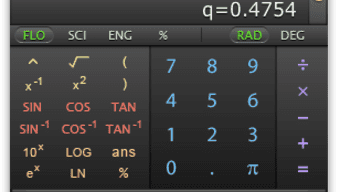
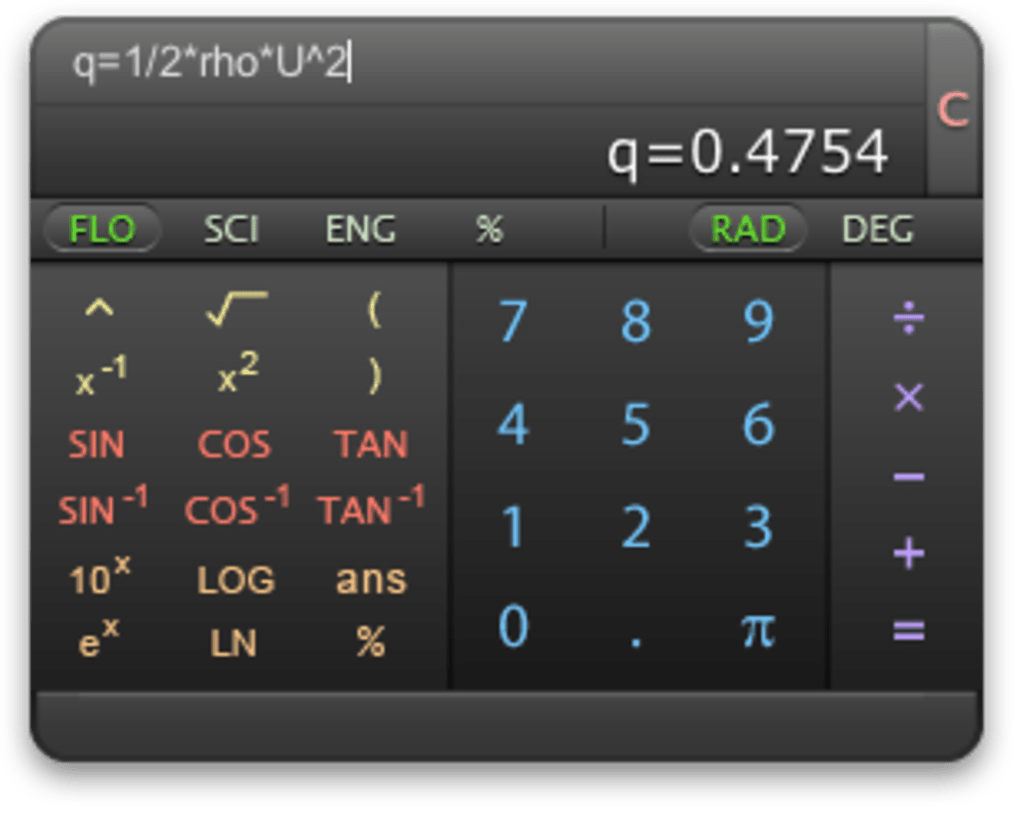
Once the program is open, you’ll see a clean window divided into three main panels: the formula entry field at the top, a real‑time results pane in the middle, and a toolbar with common functions at the bottom. To evaluate an expression, simply type it into the entry field using standard mathematical notation (e.g., (3+5)*2^3). As you type, the results pane updates instantly, displaying both the intermediate steps and the final answer.
For more complex calculations, you can access the “Functions” dropdown to insert trigonometric or logarithmic operations. If you make a mistake, PEMDAS highlights the offending part of the formula in red and provides a brief tooltip explaining the error. When you’re satisfied with the result, use the “Export” button to save the outcome to a text file or copy it directly to the clipboard.
Pros, Cons, FAQ and Final Thoughts
Pros
- Free and fully functional without hidden fees.
- Extremely lightweight—ideal for older Mac hardware.
- Offline operation ensures privacy and no internet dependency.
- Real‑time feedback accelerates learning and reduces errors.
- Clear error highlighting helps users correct syntax quickly.
- Export options simplify data sharing and reporting.
Cons
- Interface looks dated on modern macOS versions.
- Limited to basic mathematical functions; no advanced symbolic algebra.
- No native support for languages other than English.
- Last updated in 2007, so it lacks recent macOS security enhancements.
- Only available for macOS; no Windows, Linux, Android, or iOS versions.
Frequently Asked Questions
Is PEMDAS compatible with the latest macOS versions?
PEMDAS was originally built for macOS 10.3‑10.6. While it usually launches on newer versions, you may notice visual inconsistencies because the UI was never updated for modern macOS design guidelines.
Can I use PEMDAS to solve calculus or symbolic algebra problems?
No. PEMDAS focuses on arithmetic and basic algebraic expressions. For calculus or symbolic manipulation, you’ll need a more advanced CAS (Computer Algebra System) such as Mathematica or Maxima.
Is there any cost hidden in the free version?
The software is completely free. There are no in‑app purchases, subscription fees, or ad‑supported components.
How do I export my calculations?
After evaluating an expression, click the “Export” button in the toolbar. You can choose to save the result as a plain‑text file, a CSV file, or simply copy it to the clipboard for pasting into another application.
Is PEMDAS safe to download?
Yes. The software is hosted on a reputable educational software catalog and does not contain any bundled malware or adware. Because it runs offline, there is no risk of unwanted data transmission.
Conclusion & Call to Action
If you own a Mac and need a straightforward, no‑frills utility for checking arithmetic and basic algebraic expressions, PEMDAS remains a solid choice despite its vintage look. Its free price tag, minimal system requirements, and instant feedback make it especially appealing for students on a budget or educators who want a reliable classroom tool without dealing with licensing hassles. While it lacks the advanced features of modern CAS platforms, its simplicity can be a virtue—there’s no learning curve, no subscription, and no internet connection required. Download PEMDAS today, install it in under five minutes, and experience a fast, secure way to verify your calculations. Click the download button below, and give your Mac a lightweight math companion that has served thousands of learners for over a decade.







